If you have any questions or if you paid and not got immediate approval write to:
[email protected]
With screenshots of payment proof from your wallet!
Add Wheel token (symbol: $ Wheel) as a Custom Token in your Trust Wallet
This is a short tutorial for how to add $ Wheel as a Custom Token inside your Trust Wallet app.
Wheel $ token is stored on the Polygon blockchain, so if you´re having trouble viewing your $ Wheel, it might be because your current Wallet app type does not support showing tokens that sit Polygon.
On your 📲🛡️ Trust Wallet app:
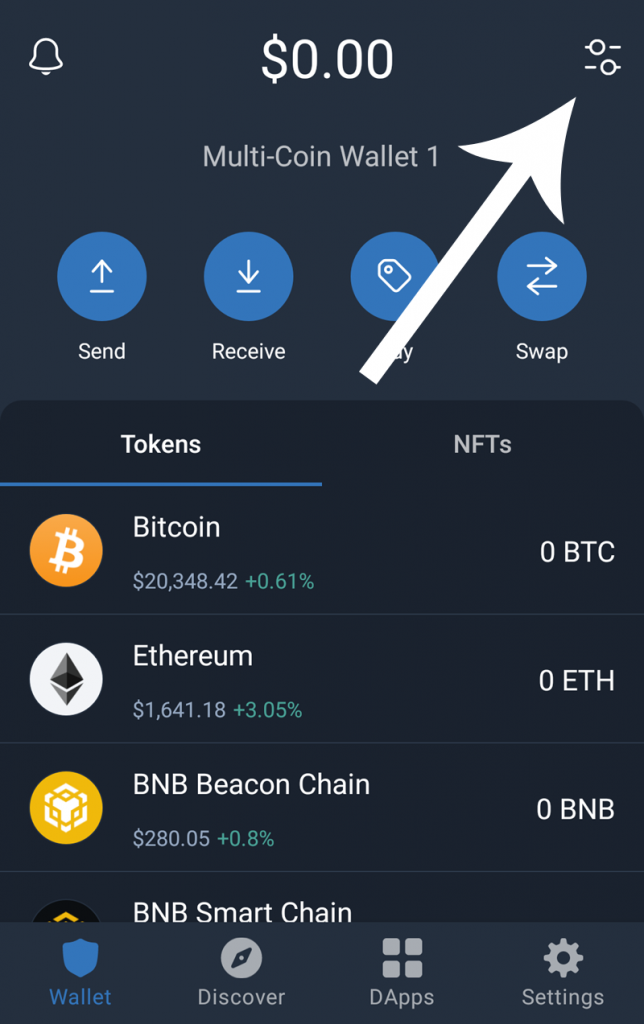
Step 1: Open your Trust Wallet and tap on “Manage” (if “Manage” is not available, click the “+” icon) in the top-right corner of the Wallet (Home) screen.
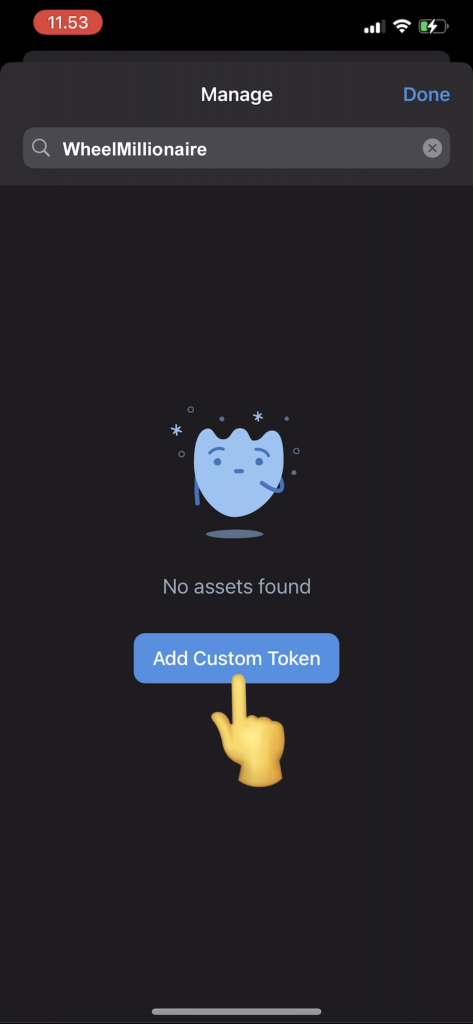
Step 2: Type “Wheel” in the search bar, if it’s not showing, then tap the button “Add Custom Token”
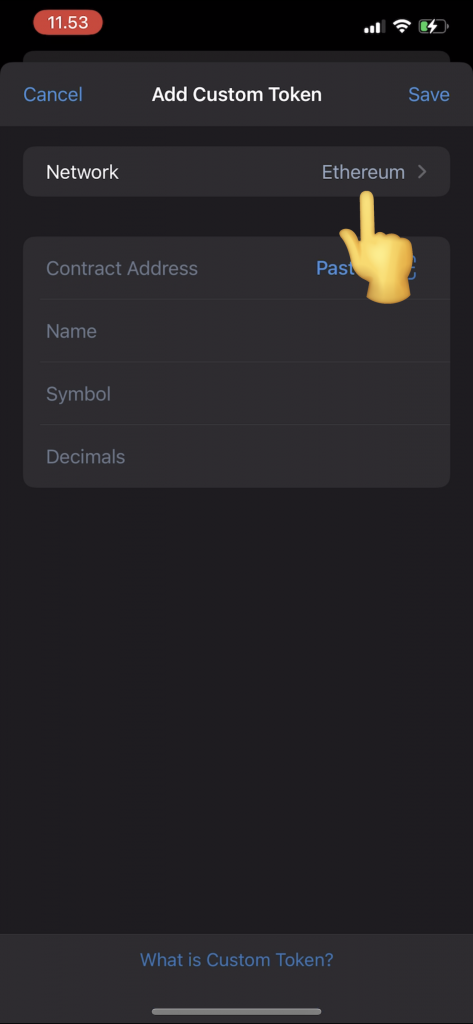
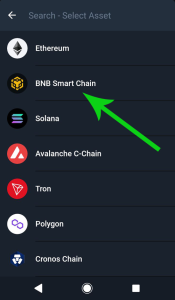
Step 3: Tap the Network button and CHANGE the Network from “Ethereum” to “BNB Smart Chain“
Step 4: Copy & Paste the Wheel token address (below) into “Contract Address”:
0x49e9bF93f56A773187fBaB999A7F6e1825670Ca3
Step 5: Fill out the additional details if they are not auto filled, Name: Wheel, Symbol: $ Wheel, and Decimals: 18, and then press “Save” or “Done”
🎉You can now display and receive your Wheel tokens in your Trust Wallet!
For general knowledge, your Polygon address is the exact same address as your Eth and BSC addresses on TrustWallet. It’s only different networks.
If you have any questions or if you paid and not got immediate approval write to:
[email protected]
With screenshots of payment proof from your wallet!