Add HighOrCry ($HIGH) as a Custom Token in your Trust Wallet
This is a short tutorial for how to add $HIGH as a Custom Token inside your Trust Wallet app.
$HIGH token is stored on the Polygon blockchain, so if you´re having trouble viewing your $HIGH, it might be because your current Wallet app type does not support showing tokens that are on Polygon network.
First Install TrustWallet:
1. Download Trust Wallet – This will be your wallet to buy and store your $HIGH
For Apple Iphone Users – Click Here To Download
For Android Users – Click Here To Download
Follow the instructions and install TrustWallet.
After you completed to setup, on your 📲🛡️ Trust Wallet app:
Step 1: Open your Trust Wallet and tap on “Manage” (if “Manage” is not available, click the “+” icon) in the top-right corner of the Wallet (Home) screen.

Click on the “+” sign

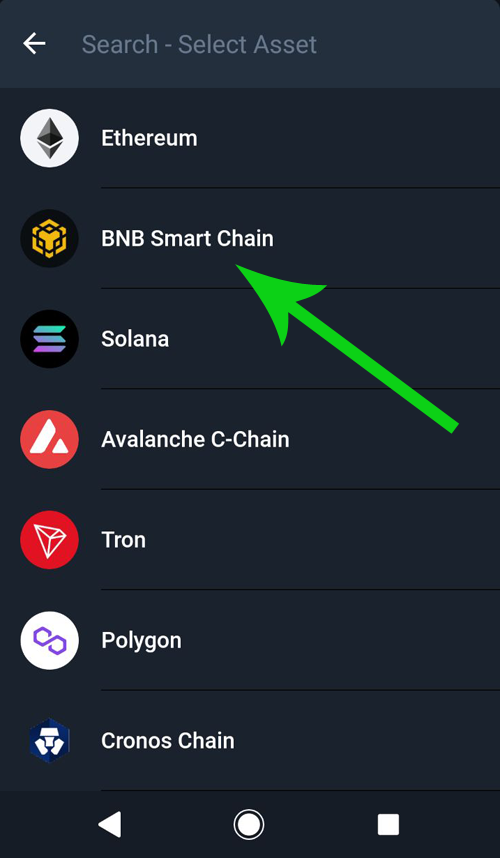
Step 3: Tap the Network button and CHANGE the Network from “Ethereum” to “BNB Smart Chain“

Here you can see BNB Smart Chain, choose it.
Step 4: Copy & Paste $HIGH token address (below) into “Contract Address”:
0xf7efb9accc059fdb6ce8b6a6a514f6bd09ae66f9
Make sure BNB Smart Chain is chosen
After contract address 0xf7efb9accc059fdb6ce8b6a6a514f6bd09ae66f9 was pasted at the selected area the name, symbol and Decimals should auto fill. If not, please fill in manually:
Name: HighOrCry
Symbol: $ HIGH
Decimals: 18
3. Click save and you’re done!
🎉You can now display and receive your $HIGH tokens in your Trust Wallet!
For general knowledge, your Polygon address is the exact same address as your Ethereum and BNB addresses on TrustWallet. Only different networks.