Add SlotCoiner ($Coiner) as a Custom Token in your Trust Wallet
This is a short tutorial for how to add $Coiner as a Custom Token inside your Trust Wallet app.
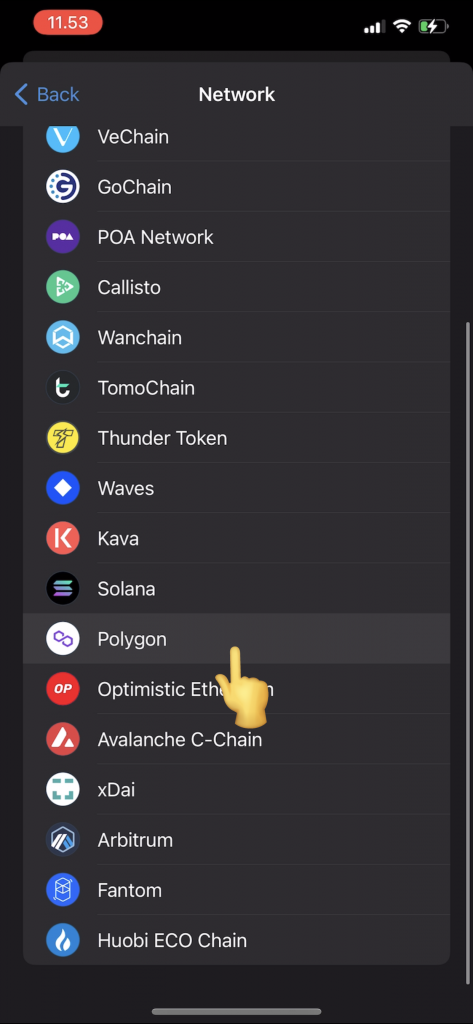
$Coiner token is stored on the Polygon blockchain, so if you´re having trouble viewing your $Coiner, it might be because your current Wallet app type does not support showing tokens that are on Polygon network.
First Install TrustWallet:
1. Download Trust Wallet – This will be your wallet to buy and store your $Coiner
For Apple Iphone Users – Click Here To Download
For Android Users – Click Here To Download
On your 📲🛡️ Trust Wallet app:
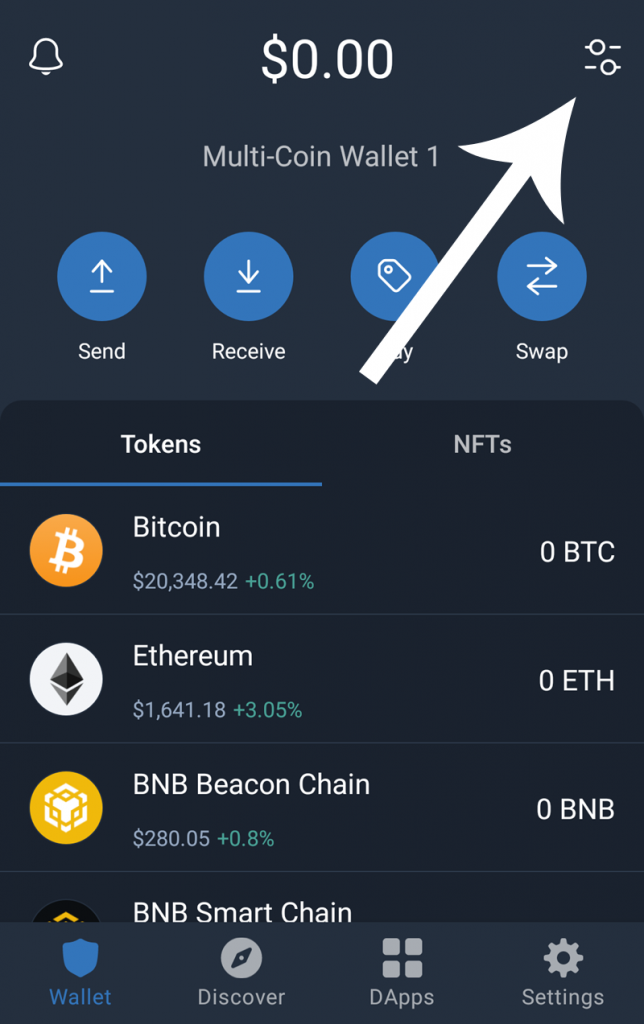
Open your Trust Wallet and tap on “Manage” (if “Manage” is not available, click the “+” icon) in the top-right corner of the Wallet (Home) screen.
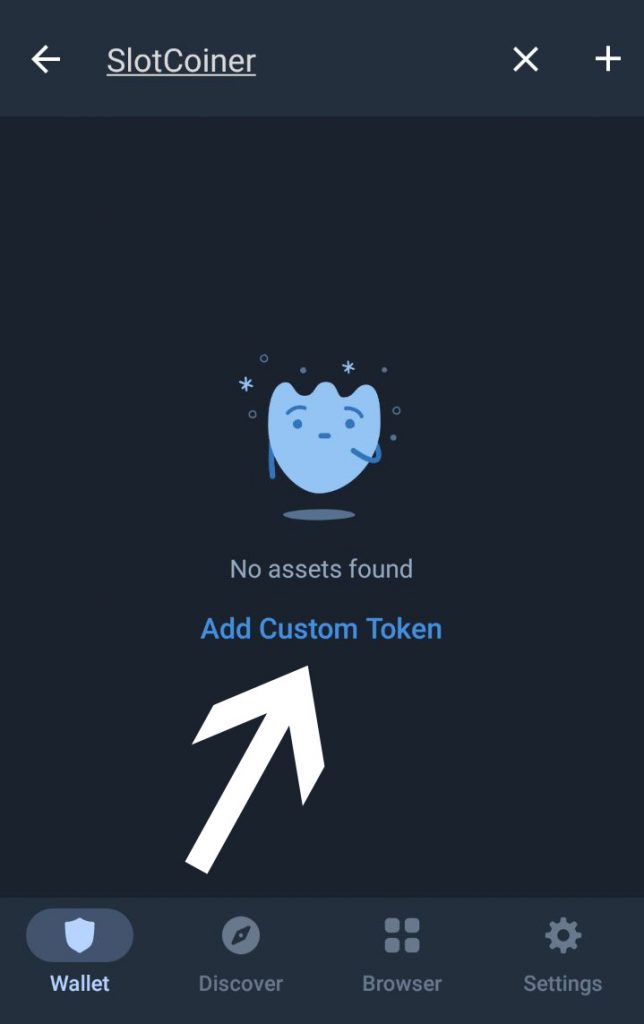
Step 2: Type “SlotCoiner” in the search bar, if it does not appear, then tap the button “Add Custom Token”
Step 3: Tap the Network button and CHANGE the Network from “Ethereum” to “Polygon“
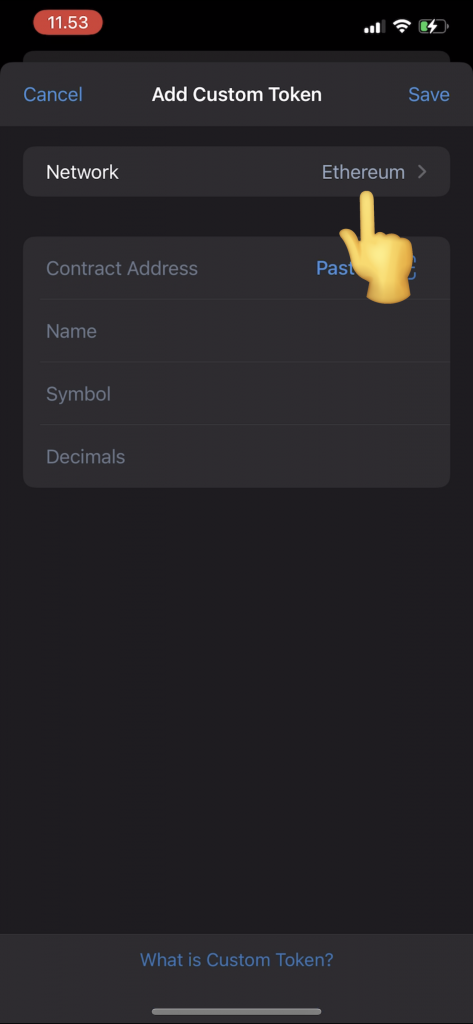
Step 4: Copy & Paste the Coiner token address (below) into “Contract Address”:
0xd78F463Db3e302EE4c1Be56ba43B1c03291EF8eE

Step 5: Fill out the additional details if they are not auto filled, Name: SlotCoiner, Symbol: $Coiner, and Decimals: 18, and then press “Save” or “Done”
🎉You can now display and receive your $Coiner tokens in your Trust Wallet!

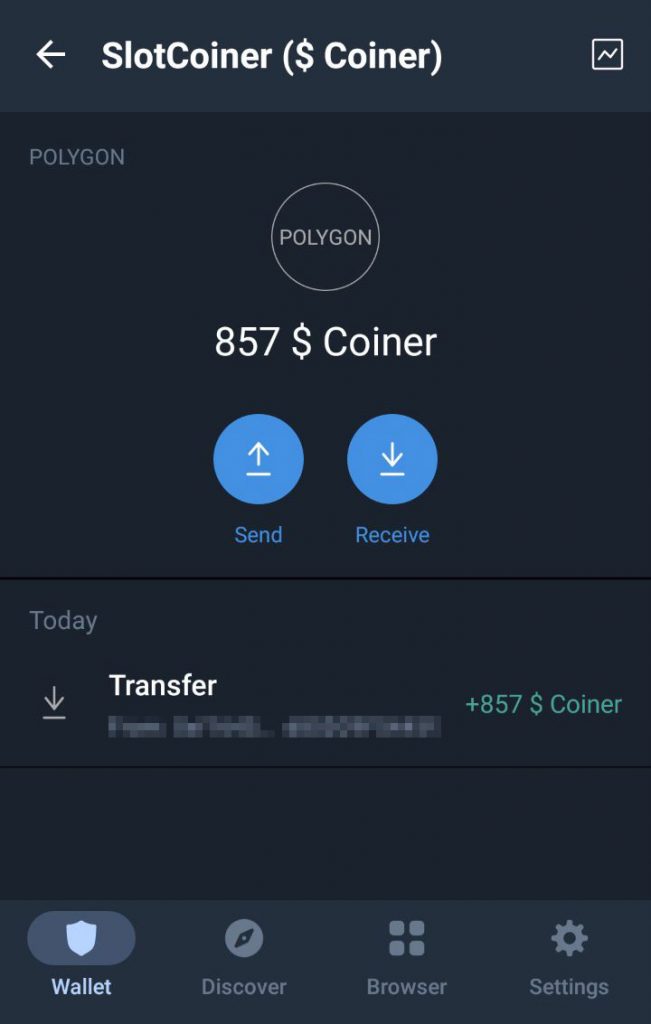
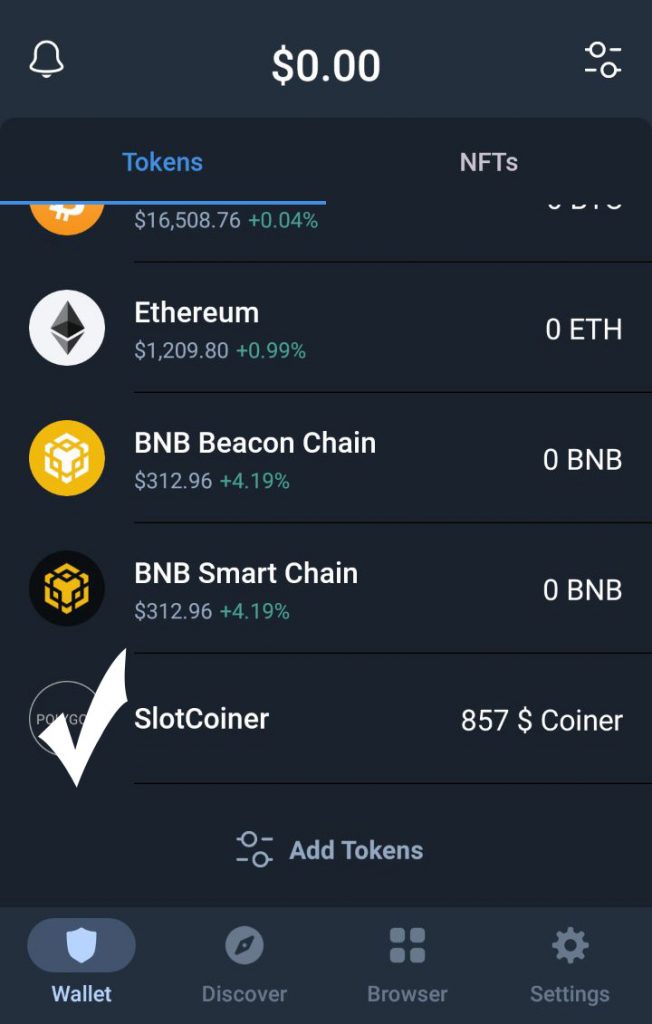
You’ve just completed all the steps to see your SlotCoiner tokens in your wallet!
For general knowledge, your Polygon address is the exact same address as your Ethereum and BSC addresses on TrustWallet. Only different networks.
13 responses to “How to add $ Coiner token on TrustWallet”
C’est très génial d’être avec vous
the system is authentic i enjoy being in this project
This information is very helpful to us thank you so much
This is very good
All PENDING winnings that paid the network fee are now cleared!
Check your wallets!
Where do I pay the network fee?
Thanks
Annemarie
Exelente tutorial. Gracias ya puedo ver mis $ Coiner en mi billetera.
Hola y si lo retiro por metamask tengo que buscar igaual el toke
Y para pagar la tarifa de la red puedo pagarla x cual quier criptomoneda
Tutorial awesomely great. Thank you, am grateful
Wow what a great one there, happy to learn this today.
Can this same process done in Metamask wallet.I used metamask wallet instead of trust wallet.
Yes. MetaMask will work fine.
Thank you sooo much I received my slotcoiner You such an awesome Company # Forward ever Ella.Fund I am proud to be part of this huge organisation
I like it well